If you’ve been finding missed calls on your Google Pixel without ever hearing your phone ring, you’re experiencing a frustrating bug that’s affecting Pixel users across multiple device generations. This Google Pixel missing calls bug has surfaced over the past few weeks, leaving people unable to answer important calls because their phones simply stay silent.
The issue means you have no way of knowing someone tried to reach you until you unlock your phone or restart it and discover the missed call notification. Here’s what’s happening, why it’s occurring, and what you can do to fix it.
What Is the Google Pixel Silent Call Bug?
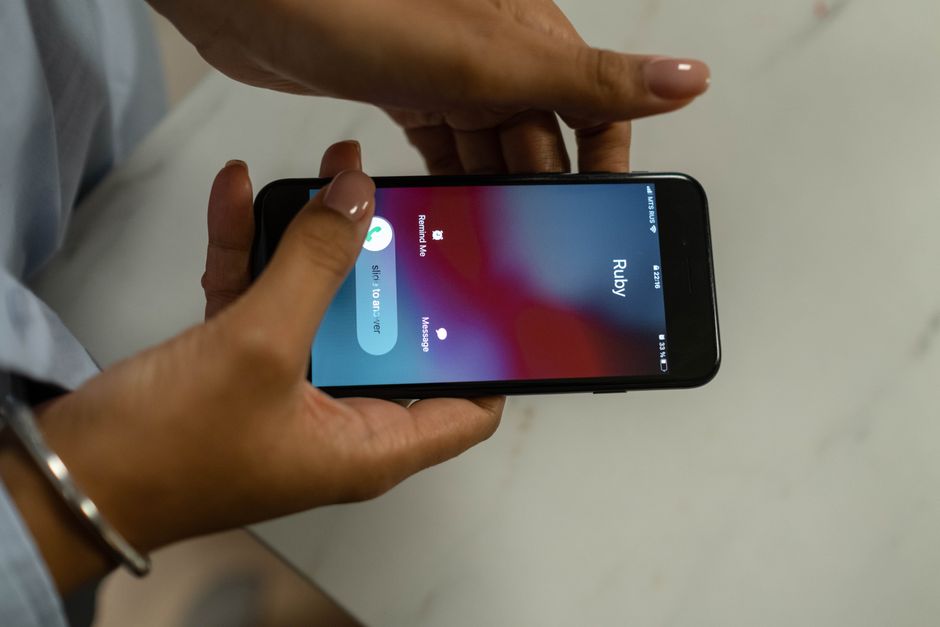
The Google Pixel silent call bug is exactly what it sounds like: incoming calls arrive at your phone but trigger no notification, no ringtone, and no vibration. Your phone receives the call in complete silence, sending it straight to voicemail or marking it as missed.
Unlike a normal missed call where you might have been in another room or had your volume down, these silent calls give you absolutely no indication that someone is trying to reach you. The call comes through on the network level, your carrier registers it, but your Pixel never alerts you in any way.
Many users only discover the problem when they unlock their phone hours later and see missed call notifications stacked up. Others realize something is wrong when friends or family members complain about not being able to reach them. Some have reported noticing the issue only after restarting their phone and suddenly seeing multiple missed calls appear.
The bug affects multiple Pixel models and doesn’t seem limited to a specific Android version. Users with Pixel 6, Pixel 7, and Pixel 8 devices have all reported experiencing silent calls, suggesting this is a broader software issue rather than a hardware problem isolated to one model.
How Many Pixel Users Are Affected?
While Google hasn’t released official numbers, community reports suggest this is a widespread issue affecting a significant portion of Pixel owners. The problem appears to have intensified over the past few weeks, with reports flooding Reddit, Google’s support forums, and social media platforms.
Reports span multiple Pixel generations. Pixel 6 users were among the first to report the issue, but Pixel 7 and Pixel 8 owners have since confirmed they’re experiencing the same problem. This cross-generational impact suggests the bug likely stems from a recent Android update or Google Phone app update.
The issue doesn’t appear to be universal, meaning not every Pixel owner is affected. This inconsistency suggests the bug may be triggered by specific configurations, settings combinations, or usage patterns rather than a simple blanket software flaw.
Community discussions on Reddit’s r/GooglePixel forum show dozens of threads with users sharing similar experiences. Some report the problem occurring daily, while others experience it sporadically. The intermittent nature makes it even more frustrating because you can’t predict when important calls might go unnoticed.
What Causes Calls to Not Ring on Pixel Phones?
Pinpointing the exact cause of the Google Pixel missing calls bug is challenging without an official statement from Google, but several factors appear to be contributing to the problem.
The most likely culprit is a software bug introduced in recent Android updates. Multiple users have reported the issue beginning shortly after installing Android system updates or Google Phone app updates. The timing of these reports correlating with update releases strongly suggests a code-level bug in how Android handles incoming call notifications.
Notification settings and Do Not Disturb mode interference could also play a role. Android’s notification system is complex, with multiple layers of settings that control when and how your phone alerts you. If a recent update changed how these layers interact, calls might be getting caught in a notification gap where the system registers them but fails to trigger the alert.
Bluetooth and audio routing conflicts are another potential cause. Several users have noticed the silent call issue occurs more frequently when Bluetooth is enabled or when their phone was previously connected to a Bluetooth device. The audio routing system might be defaulting to a disconnected Bluetooth device instead of your phone’s speakers, essentially sending the ringtone nowhere.
Call screening features could be accidentally filtering calls without user knowledge. Google’s call screening and spam protection features have become increasingly aggressive, and a bug in these systems could be silently rejecting or muting legitimate calls.
SIM card or carrier-related issues might contribute in some cases. A handful of users have reported that swapping SIM cards or contacting their carrier temporarily resolved the issue, suggesting potential compatibility problems between carrier networks and recent Pixel software updates.
How to Fix Silent Calls on Your Google Pixel
While waiting for an official fix from Google, several troubleshooting steps have proven effective for many users experiencing the silent call bug.
Check Do Not Disturb and notification settings first. Open your Settings app, navigate to Notifications, and verify that Do Not Disturb isn’t enabled. Even if you think it’s off, check the schedule settings to ensure it’s not activating automatically. Also verify that Phone app notifications are fully enabled with sound and vibration permitted.
Verify call screening settings by opening the Phone app, tapping the three-dot menu, selecting Settings, then Spam and Call Screen. Make sure the settings aren’t too aggressive. Try temporarily disabling call screening entirely to see if that resolves the issue.
Restart your phone to restore normal functionality. This simple step has resolved the issue for many users, at least temporarily. A restart clears temporary system glitches and resets the audio routing system.
Update to the latest Android and Phone app version by checking Settings > System > System update for Android updates, and visiting the Google Play Store to update the Phone app. Some users have reported that specific updates addressed the issue, so ensure you have the latest version installed.
Clear cache and data for the Phone app through Settings > Apps > See all apps > Phone > Storage & cache. Tap Clear cache first, test if calls work, then try Clear storage if needed. Note that clearing storage will reset your Phone app preferences.
Disable Bluetooth if it’s causing audio routing issues. Turn off Bluetooth entirely and test whether calls ring properly. If they do, the problem is Bluetooth-related. Try forgetting all paired devices and re-pairing them one at a time.
Factory reset as a last resort if nothing else works. Back up your data first, then perform a factory reset through Settings > System > Reset options > Erase all data. This is the most drastic step but has successfully resolved the issue for users when all other methods failed.
Temporary Workarounds While You Wait for a Fix
If you’re still experiencing silent calls after trying the fixes above, these workarounds can help minimize missed calls while Google develops a permanent solution.
Enable visual call notifications on your lock screen by ensuring lock screen notifications are set to show all content. You’ll see the notification if you glance at your phone during an incoming call, even if it doesn’t ring.
Set important contacts to custom ringtones as a potential backup. Some users report that contacts with custom ringtones assigned are less likely to trigger the silent call bug, though this isn’t guaranteed.
Use alternative calling apps like Google Voice or carrier-specific calling apps as a secondary option. Give important contacts an alternative number where they can reach you if your primary number doesn’t ring.
Keep your phone unlocked during expected calls if you’re anticipating an important call. The bug seems to occur more frequently when the phone is locked, so keeping the screen active may help.
Monitor your notification settings regularly because some users report settings mysteriously changing after updates. Make it a habit to check your Phone app notification permissions weekly.
Has Google Acknowledged the Issue?
As of now, Google has not issued an official public statement specifically addressing the widespread silent call bug. The company typically acknowledges issues on their support forums or through the official Made by Google Twitter account, but no such acknowledgment has appeared yet.
The absence of official communication doesn’t mean Google is unaware. The company monitors user reports through multiple channels, including the Pixel Help Community, feedback submitted through devices, and social media. The volume of reports almost certainly means their engineering team is investigating.
No timeline for a potential fix or patch has been announced. Based on past issues, if Google confirms this as a widespread bug, a fix would likely arrive through either a Google Play system update, a Pixel Feature Drop, or a monthly security patch. These typically roll out on predictable schedules, with security patches arriving monthly and Feature Drops quarterly.
Users can check Google’s known issues list for Pixel phones on the official Pixel support site to see if the silent call bug has been added to the acknowledged problems list.
What Should You Do Right Now?
Taking action now can help resolve your personal issue and contribute to a faster official fix from Google.
Report the bug to Google using the Pixel Feedback app on your device or by visiting the Pixel Help Community. Detailed reports help Google’s engineers understand the scope and nature of the problem. Include information about when the issue started, which Android version you’re running, and any patterns you’ve noticed.
Check for pending system updates in Settings > System > System update. Even though updates might have caused the problem, Google often releases quick patches when critical bugs are identified. Installing the latest update ensures you have any available fixes.
Document when the issue occurs by keeping a log of missed calls and noting circumstances like whether Bluetooth was on, if Do Not Disturb had been active recently, or if the phone had been restarted. This information can help with troubleshooting and provides useful data if you contact support.
Contact your carrier support to rule out network issues. While the bug appears to be Pixel-specific, some users have found carrier-side settings that were interfering with call delivery. Your carrier can verify that calls are being properly routed to your device.
Consider your options carefully before reverting to a previous Android version. While some technically proficient users have successfully downgraded to earlier Android versions where the bug didn’t exist, this process is complex, voids warranties, and can cause data loss. Only attempt this if you’re experienced with Android debugging and have exhausted all other options.
The Google Pixel missing calls bug is a serious issue that undermines one of the most fundamental functions of a phone. Most users have found at least temporary relief through the troubleshooting steps outlined above. Monitor Google’s official channels for updates, keep your device updated, and don’t hesitate to report the issue through official feedback channels. The more data Google receives, the faster they can develop and deploy a comprehensive fix.
Frequently Asked Questions
Why is my Google Pixel not ringing for incoming calls?
Your Pixel may be experiencing a widespread silent call bug affecting multiple device generations. The issue stems from a suspected software bug in recent Android updates that prevents the phone from triggering ringtone notifications even though calls are arriving. Check your Do Not Disturb settings, disable call screening temporarily, and restart your phone as first troubleshooting steps.
How do I turn off call screening on Google Pixel?
Open the Phone app, tap the three-dot menu in the top right, select Settings, then tap Spam and Call Screen. You can adjust the call screening level or turn it off completely by selecting ‘Off’ for each category. This may help if call screening is mistakenly filtering legitimate calls without notification.
What’s the difference between a missed call and a silent call?
A missed call typically means your phone rang or vibrated but you didn’t answer in time. A silent call means the call arrived at your phone but triggered no notification, ringtone, or vibration whatsoever, giving you no opportunity to answer. With the Pixel bug, you only discover these silent calls after unlocking your phone or restarting it.
Will a factory reset fix the Pixel silent call bug?
A factory reset has successfully resolved the issue for some users, but it’s not guaranteed and should be your last resort. The bug appears to be software-related, so if it stems from a system-wide Android update, a factory reset might only provide temporary relief. Try all other troubleshooting steps first before wiping your device.
Do all Google Pixel models have this calling issue?
No, the bug doesn’t affect all Pixel phones universally, but reports span multiple generations including Pixel 6, 7, and 8 models. The issue appears to affect specific devices based on certain configurations, settings, or usage patterns rather than being a blanket problem across all Pixels. Not every Pixel owner is experiencing silent calls.