Apple’s iOS 27 public beta is now available to anyone willing to download it, and it brings some of the biggest changes to the iPhone experience in years. Before you tap install, though, you need to know what you’re getting into. Beta software means unfinished software, and that trade-off isn’t right for everyone.
This guide breaks down exactly what’s new, who should jump in now, who should sit this one out, and how to protect your data if you decide to give it a try.
What’s New in iOS 27 Public Beta?
Apple’s public beta program lets everyday users test upcoming software before its official release, and iOS 27 is one of the more ambitious updates in recent memory. It introduces a redesigned interface with deeper personalization options, smarter on-device intelligence features, and improvements to how apps handle multitasking and notifications.
Compared to iOS 26, this release focuses heavily on refining the overall system experience rather than just adding standalone features. You’ll notice changes to how the Lock Screen, Control Center, and system apps communicate with each other, along with expanded AI-driven suggestions built directly into core apps like Messages, Mail, and Photos.
Apple releases these features to public testers for a simple reason: real-world usage uncovers problems that internal testing never catches. Millions of different hardware configurations, app combinations, and daily habits create scenarios Apple’s own engineers simply can’t replicate in a lab. That’s exactly why your experience with the beta might look very different from someone else’s.
Who Should Install iOS 27 Beta on Their iPhone?
Beta software rewards a specific kind of user. If you fall into one of these categories, installing iOS 27 now might make sense for you.
- Tech-savvy early adopters who don’t mind the occasional glitch and know how to troubleshoot basic issues.
- App developers who need to confirm their apps work correctly before iOS 27 launches to the general public.
- Owners of a spare or secondary iPhone who can test freely without risking their main device.
- Enthusiasts who genuinely want early access to new capabilities and are willing to accept some instability as the cost of admission.
If none of these describe you, that’s a strong signal to wait.
Who Should Avoid iOS 27 Public Beta?
For a lot of iPhone owners, the smarter move is to stay on the stable version for now. Consider skipping the beta if any of the following apply to you.
- You depend on your iPhone for work, school, or anything time-sensitive, like calls, email, or banking apps that can’t afford downtime.
- You don’t have much experience troubleshooting tech problems on your own.
- You’re using an older iPhone model that may already run warmer or slower, since beta software tends to be less optimized and can amplify those issues.
- You’d be genuinely upset by the possibility of losing data, apps misbehaving, or having to restore your phone unexpectedly.
If your iPhone is your only phone and you can’t afford it acting unpredictably, wait for a later beta round or the final public release.
Real Risks: What Can Go Wrong With Beta Software?
It’s easy to get swept up in exciting new features and forget that beta software is, by definition, unfinished. Here’s what commonly goes wrong.
Battery drain and performance issues are almost guaranteed in early betas. Background processes related to testing and diagnostics run more aggressively, and Apple hasn’t yet optimized the code for efficiency.
App incompatibilities are another major headache. Some of your favorite apps might crash, freeze, or simply refuse to open until their developers release updates compatible with iOS 27.
Security vulnerabilities are also a real concern. Beta versions haven’t gone through the same rigorous security vetting as stable releases, which means unpatched exploits could exist temporarily.
iCloud and data sync failures show up more often in beta software too. Photos, notes, or messages might not sync properly between devices, especially if some of your devices run the beta while others don’t.
Perhaps the biggest risk: you may not be able to downgrade cleanly without losing data, depending on how far into the beta cycle you are and whether you’ve already backed up on the newer OS version.
How to Safely Install iOS 27 Public Beta
If you’ve weighed the risks and still want to try it, follow these steps to protect yourself.
Can You Downgrade From iOS 27 Public Beta?
Yes, but the process has real limitations you should understand before committing.
Apple typically allows you to restore your iPhone to the current stable version using a computer, but this requires erasing your device and restoring from a backup made before you installed the beta. If your only backup was made after installing iOS 27, you may lose data created during the beta period, since that backup format may not be compatible with older iOS versions.
In some cases, downgrading also requires a DFU (Device Firmware Update) restore, which is a deeper reset than a standard restore. This wipes your iPhone completely and requires reinstalling everything from a backup afterward.
There’s also a timing factor. Apple typically stops “signing” older iOS versions once a new version has been out for a while, which means downgrading eventually becomes impossible altogether. If you install the beta, plan to either commit to it long-term or downgrade quickly if you decide it’s not for you.
The Verdict: Should You Install iOS 27 Public Beta in 2026?
Here’s the simple version: if your iPhone is essential to your daily life and you can’t tolerate hiccups, don’t install it yet. If you have a spare device, technical patience, or a genuine need to test app compatibility, go for it.
Timing matters a lot here too. Early betas tend to have more bugs, while later beta rounds, closer to the public release, are typically far more stable. If you’re on the fence, waiting for a later beta build gives you many of the same new features with meaningfully fewer headaches.
Ultimately, this comes down to weighing new features against stability. iOS 27’s improvements are genuinely compelling, but no feature is worth an unusable iPhone during a busy week. When in doubt, wait. The stable release will arrive soon enough, and you’ll get the same great features without gambling on your daily driver.
Frequently Asked Questions
Can I install iOS 27 public beta alongside the stable iOS 26 version?
No, you can’t run both at once on a single iPhone. Installing the beta replaces your current iOS version, so if you want to keep using iOS 26 reliably, you’ll need a separate device for beta testing.
How do I enroll my iPhone in Apple’s public beta program?
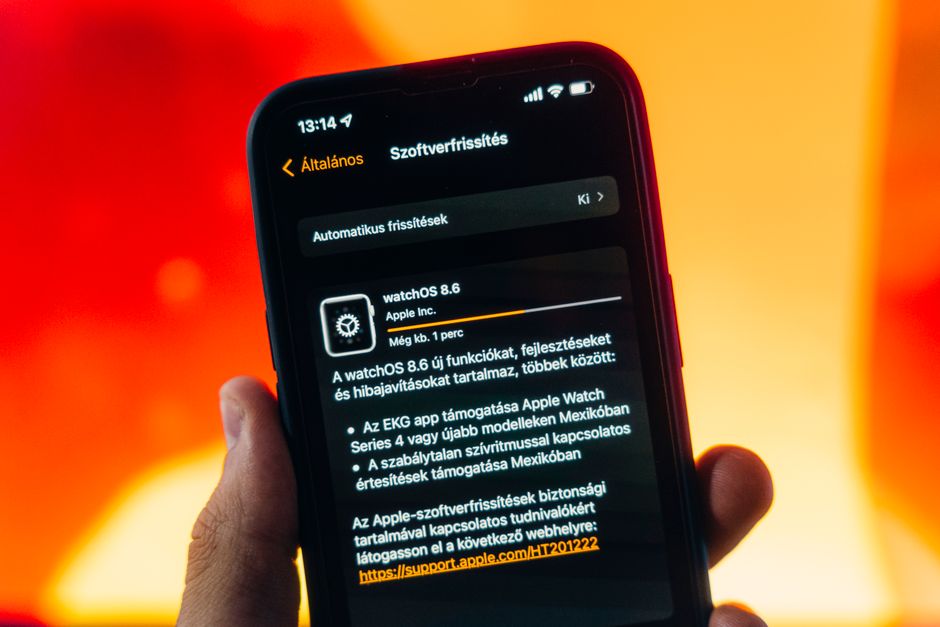
Visit Apple’s official beta software site, sign in with your Apple ID, and follow the instructions to install the beta profile on your device. Once enrolled, your iPhone will show the update under Settings > General > Software Update.
Will my apps work on iOS 27 public beta?
Most apps will work, but not all of them, especially early in the beta cycle. Developers need time to update their apps for compatibility, so expect occasional crashes or missing features in some third-party apps.
What should I do if iOS 27 beta makes my iPhone unusable?
First, try restarting your device or reinstalling the latest beta update, since Apple frequently releases patches. If that doesn’t help, restore your iPhone using a computer and a backup made before you installed the beta.
When will iOS 27 public beta become the stable release?
Apple typically releases the stable version of a new iOS in the fall, alongside new iPhone launches. Expect several more beta updates between now and then as Apple irons out bugs.
Do I need to have a backup iPhone before installing the beta?
It’s not strictly required, but it’s strongly recommended if your phone is essential for work or daily tasks. Without a backup device, you risk being without a reliable phone if the beta causes serious issues.
Frequently Asked Questions
Can I install iOS 27 public beta alongside the stable iOS 26 version?
No, you can’t run both at once on a single iPhone. Installing the beta replaces your current iOS version, so if you want to keep using iOS 26 reliably, you’ll need a separate device for beta testing.
How do I enroll my iPhone in Apple’s public beta program?
Visit Apple’s official beta software site, sign in with your Apple ID, and follow the instructions to install the beta profile on your device. Once enrolled, your iPhone will show the update under Settings > General > Software Update.
Will my apps work on iOS 27 public beta?
Most apps will work, but not all of them, especially early in the beta cycle. Developers need time to update their apps for compatibility, so expect occasional crashes or missing features in some third-party apps.
What should I do if iOS 27 beta makes my iPhone unusable?
First, try restarting your device or reinstalling the latest beta update, since Apple frequently releases patches. If that doesn’t help, restore your iPhone using a computer and a backup made before you installed the beta.
When will iOS 27 public beta become the stable release?
Apple typically releases the stable version of a new iOS in the fall, alongside new iPhone launches. Expect several more beta updates between now and then as Apple irons out bugs.
Do I need to have a backup iPhone before installing the beta?
It’s not strictly required, but it’s strongly recommended if your phone is essential for work or daily tasks. Without a backup device, you risk being without a reliable phone if the beta causes serious issues.