If your desk looks like a tangle of cables fighting for the same outlet, you’re not alone. A new multi-device charging station priced at just $33 promises to fix that mess by powering up to nine gadgets at once, without the premium price tag usually attached to charging hubs like this.
This isn’t a gimmick. It’s a genuinely useful upgrade for anyone juggling a phone, tablet, smartwatch, and wireless earbuds every day. Here’s what makes it worth a spot on your desk or nightstand.
Why Your Phone Desk Needs a 9-in-1 Charging Station
Take a look at your desk right now. Chances are you’ll spot at least three cables snaking toward a single power strip, each one dedicated to a different device. That clutter doesn’t just look bad, it wastes valuable desk space you could use for actual work.
Switching between chargers all day also slows you down more than you realize. Unplugging your phone charger to juice up your tablet, then swapping again for your earbuds, adds up to wasted minutes and unnecessary frustration.
There’s also the outlet problem. Most desks and nightstands only offer one or two accessible plugs, and multiple chargers eat through them fast. A consolidated charging station solves all of this at once, giving every device its own dedicated port without demanding extra outlets or constant cable swapping.
What Makes This $33 Charging Station Stand Out
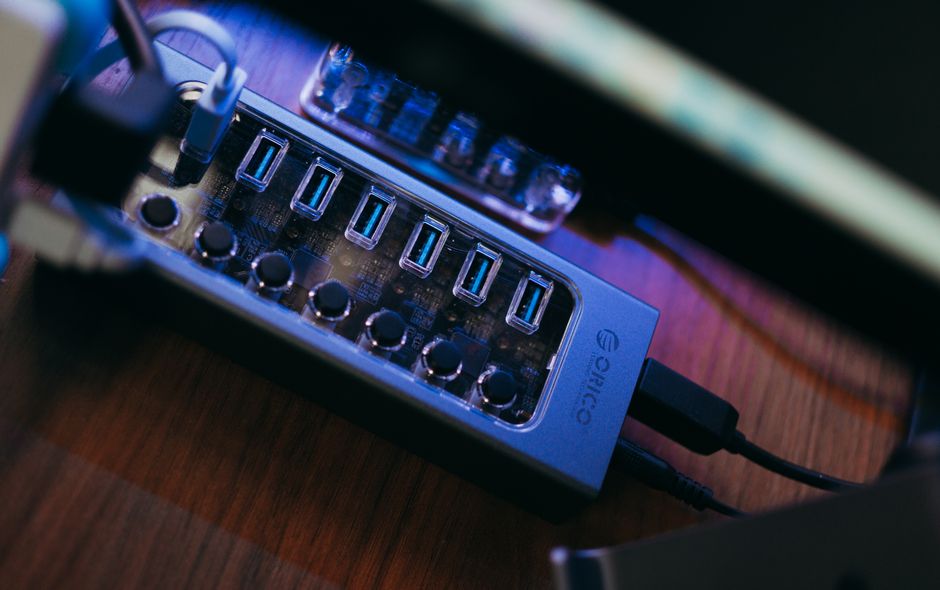
This particular charging hub packs nine ports into a single compact unit, small enough to sit next to your keyboard without taking over your workspace. That’s enough room to simultaneously charge your phone, tablet, smartwatch, earbuds case, and a handful of other accessories.
The port selection is the real draw here. You get a mix of USB-A and USB-C connections, so it doesn’t matter whether your gadgets use older cables or the newer standard. That flexibility means you won’t need to buy new cables just to make everything fit.
A few standout features push this past basic charging blocks:
- Nine total ports covering a wide range of device types
- A footprint small enough for tight desk corners or nightstands
- Built-in cable management to keep cords from tangling
- A price point that undercuts many premium charging stations by $100 or more
That last point matters most. Comparable charging hubs from bigger brands often run well past $100, and the extra cost rarely buys you meaningfully better performance.
The Best of Both Worlds: Affordability Meets Functionality
The phrase “budget-friendly” often comes with an asterisk. Cheaper products usually mean slower charging speeds or flimsy build quality. This station manages to sidestep both problems.
It charges up to nine devices simultaneously without throttling speeds to a crawl. That means your phone still charges quickly even while your tablet and smartwatch are drawing power from neighboring ports at the same time.
It also plays well across ecosystems. Whether you’re an iPhone household, an Android household, or a mix of both, the combination of USB-A and USB-C ports covers nearly every device you own. You won’t need to replace your existing cables or buy adapters, since the station is designed to work with what you already have.
Power delivery support is another win here. Compatible devices can still take advantage of fast charging, so you’re not sacrificing speed for convenience. For $33, that combination of affordability and real functionality is hard to beat.
How to Set Up Your Multi-Device Charging Hub
Getting this station running takes only a few minutes. Here’s the simple process:
That’s it. No apps, no complicated setup screens, no waiting around. Plug it in and start charging.
Is This Charging Station Right for You?
Not every household needs a nine-port charging hub, but plenty do. If you and your family own a mix of Apple and Android devices, this station eliminates the need for separate charging areas for each person’s gear.
It’s also a great fit for:
- Families sharing one common charging station instead of scattered chargers throughout the house
- Frequent travelers who want a single compact solution instead of packing multiple chargers
- Desk workers managing a phone, tablet, and wireless accessories throughout the workday
- Anyone tired of hunting for an open outlet every time a new device needs power
If you only ever charge a single phone and nothing else, a station like this might be more than you need. But for most people with two or more regularly charged devices, it earns its place quickly.
Comparing Charging Solutions in 2026
The charging accessory market has gotten crowded, and prices vary wildly for surprisingly similar performance. Premium charging stations from well-known brands often land between $100 and $200, yet many offer only marginal improvements over cheaper alternatives, think slightly faster charging on one specific port or a nicer finish.
Single-port chargers, meanwhile, create the exact problem this station solves. Every additional device means another charger, another cable, and another outlet. That approach might have made sense years ago, but it doesn’t hold up against how many gadgets the average person owns today.
Wireless charging pads have their own limitations. They work fine for a phone, but most can’t handle tablets, smartwatches, and earbuds cases all at once, and compatibility across brands isn’t guaranteed. A wired multi-port station simply offers more versatility for less money.
That leaves this $33 station sitting comfortably in the sweet spot: enough ports and power delivery to matter, without the inflated price tag of premium competitors.
Final Thoughts: The Smart Choice for Cable Management
Spending $33 now can save you significantly more down the road. Buying individual chargers for every device adds up fast, and most people end up owning far more cables and bricks than they actually need.
This station reclaims your desk space, cuts down on visual clutter, and keeps every charging cable in one predictable spot. It’s also a smart long-term move. As you add new devices over the next few years, whether that’s a new phone, a smartwatch, or wireless earbuds, you’ll already have the ports ready to go.
Best of all, none of this convenience comes at the expense of charging speed or safety. You get a station that handles multiple devices at once, supports fast charging where available, and keeps your entire setup organized for less than the cost of a single premium charging cable elsewhere. For anyone tired of outlet Tetris, this is an easy upgrade to make.
Frequently Asked Questions
Can this 9-in-1 charging station fast charge all my devices?
Yes, compatible devices connected via the power delivery ports can still charge at full speed. Charging speed depends on your specific device and cable, but the station is designed to avoid the slowdowns common with cheaper multi-port chargers.
Is it safe to charge 9 devices simultaneously on one station?
Yes, the station includes built-in safeguards to manage power distribution across all ports safely. As with any charging device, plugging it into a proper wall outlet or surge-protected power strip is recommended for best results.
What types of devices can this charging station handle?
It supports phones, tablets, smartwatches, wireless earbuds cases, and other USB-powered accessories. The mix of USB-A and USB-C ports covers most gadgets released in the last several years.
Does it work with both iPhone and Android phones?
Yes, the station works with both ecosystems since it doesn’t require proprietary cables or adapters. You simply use your existing charging cables, whether that’s USB-C for Android or Lightning/USB-C for iPhone.
How much desk space does this charging station actually take up?
The compact design is built to fit in tight spaces like desk corners or nightstands without dominating the surface. It’s noticeably smaller than juggling multiple individual chargers and cables spread across your desk.