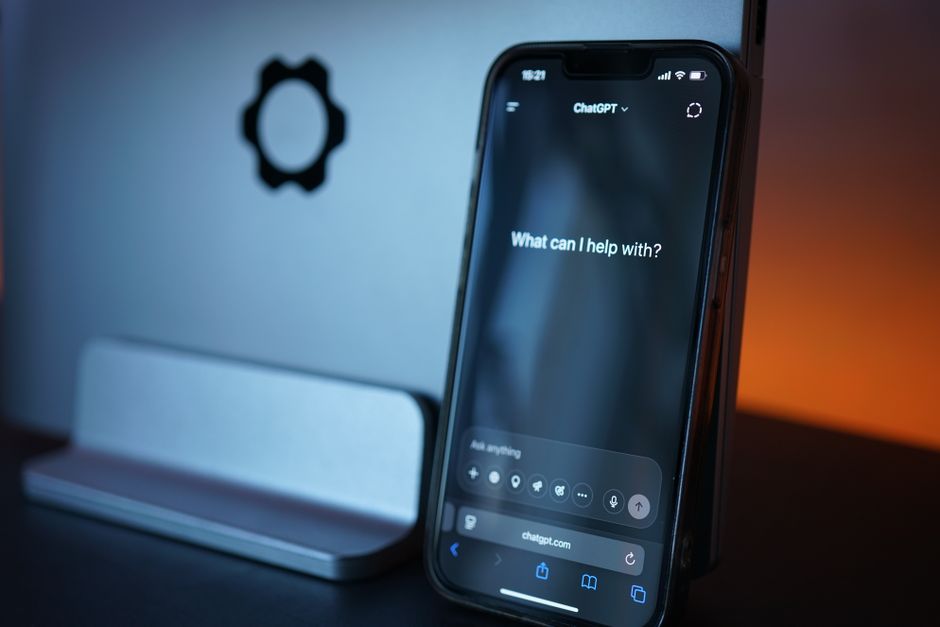
OpenAI has quietly rolled out updates to ChatGPT’s default model, changing how millions of users interact with the popular AI chatbot. If you’ve noticed subtle differences in ChatGPT’s responses over the past few days, you’re not imagining things. The company is implementing adjustments to its most widely used model that aim to improve performance, accuracy, and overall user experience.
The ChatGPT model update affects the standard version that most users interact with daily, whether through the web interface or mobile apps. While OpenAI hasn’t made a major announcement about these changes, the tweaks represent the company’s ongoing effort to refine how its AI responds to user prompts. Understanding what changed and how it impacts your workflow can help you get the most out of the updated experience.
What Did OpenAI Change in ChatGPT’s Most-Used Model?
OpenAI has implemented refinements to the default ChatGPT model that powers everyday conversations. The updates focus on improving response quality, reducing certain types of errors, and making the chatbot more helpful across different use cases.
The changes primarily affect GPT-4o, the model that serves as the default for both free and paid users. This differs from major version releases like when GPT-4 first launched. Instead, these are incremental improvements to the existing architecture that enhance performance without fundamentally changing how the model operates.
Technically speaking, the update involves adjustments to the model’s parameters and training protocols. OpenAI has refined how the model processes context, maintains conversation threads, and generates responses. The company has also worked on reducing hallucinations (when the AI generates false or misleading information) and improving the model’s ability to admit uncertainty when appropriate.
The rollout began several days ago and continues in phases across OpenAI’s user base. Different users receive the update at different times as the company monitors performance and gathers feedback. This staged approach helps OpenAI identify potential issues before they affect all users.
Under the hood, the update includes improvements to the model’s reasoning capabilities, particularly for complex queries that require multi-step thinking. The AI should now provide more coherent explanations when working through problems, especially in technical domains like coding and mathematics.
Why Is OpenAI Making This Update Now?
OpenAI’s decision to update the default model stems from user feedback and competitive pressures in the rapidly evolving AI landscape. The company stated that these changes respond directly to patterns observed in how users interact with ChatGPT.
After analyzing millions of conversations, OpenAI identified specific areas where the model could provide more helpful responses, including better handling of ambiguous questions, improved code generation, and more natural conversational flow. Performance improvements focus on response accuracy and consistency, addressing occasional instances where the model would provide contradictory information within the same conversation or struggle with certain types of logical reasoning.
Timing also plays a role. With competitors like Google’s Gemini and Anthropic’s Claude gaining traction, OpenAI needs to continuously demonstrate that ChatGPT remains the leading conversational AI. Regular updates signal to users and enterprise clients that the platform is actively maintained and improving.
This update fits into OpenAI’s broader strategy of iterative improvement rather than waiting for major version releases. The company has shifted toward more frequent, smaller updates that collectively enhance the user experience without the disruption of major overhauls.
How Will This Change Your ChatGPT Experience?
Most users will notice subtle improvements rather than dramatic changes. The updated model produces more concise and focused responses when appropriate, cutting down on unnecessary elaboration that sometimes made earlier versions feel verbose.
For coding tasks, the model shows improved accuracy in generating snippets and debugging existing code. Developers using ChatGPT for programming assistance report that the updated version makes fewer syntax errors and provides more context-appropriate solutions. The model also better understands when to suggest alternative approaches versus simply implementing a requested solution.
Writing assistance has also improved. The updated model adapts its tone and style more effectively based on your instructions. If you ask for professional business writing, you’ll get more formal language, while casual social media content feels more natural and conversational.
Response speed remains largely unchanged, though some users report slightly faster generation times for complex queries. This likely results from optimizations in how the model processes information rather than raw computational improvements.
The model’s conversational memory within a single chat session appears more reliable. It better remembers context from earlier in the conversation and references previous points more accurately, making extended problem-solving sessions smoother and reducing the need to repeat information.
For analytical tasks, you’ll notice improved logical consistency. When working through complex problems that require multiple steps, the model maintains better coherence from start to finish. This particularly benefits users who rely on ChatGPT for research, data analysis, or strategic planning.
When Will You See These Changes?
The ChatGPT model update follows a phased rollout schedule that spans roughly two weeks from initial deployment. OpenAI uses this gradual approach to monitor system performance and quickly address any unexpected issues.
Both free and ChatGPT Plus subscribers receive the updates, though paid users sometimes get access slightly earlier. The changes apply across all platforms, including the web interface, iOS app, and Android app. However, the API endpoints used by developers follow a separate update schedule and may receive changes at different times.
You can check whether you have the updated version by looking at the model indicator at the top of your conversation, which typically displays the model name (like ‘GPT-4o’) along with a date stamp indicating the training cutoff. If you’ve received the update, you might notice slight interface changes or see a notification when starting a new conversation.
Some users report seeing A/B testing variations where certain conversations use the updated model while others don’t, which is normal during rollout periods. If you’re not seeing changes yet, the complete rollout typically takes 10-14 days to reach all users globally, with timing dependent on geographic location, account type, and usage patterns.
Should You Change How You Use ChatGPT?
For most users, no major adjustments are necessary. The updated model responds to the same prompting techniques that worked before, and clear, specific instructions still yield the best results.
However, you might optimize your experience by taking advantage of the improved reasoning capabilities. For complex tasks, try structuring your prompts to break down problems into steps. The updated model handles multi-part questions more effectively, so you can include more context without overwhelming it.
If you’ve developed workarounds for previous model limitations, you might not need them anymore. For example, some users repeatedly reminded the model of context throughout long conversations, though the improved memory makes this less necessary (occasional reminders still help for very extended sessions).
Your existing workflows should remain compatible. Custom instructions, saved prompts, and integrated applications all work the same way, with changes happening at the model level rather than affecting interface features or API structures.
If responses seem off after the update, try these troubleshooting steps: start a new conversation rather than continuing an old thread, as cached information from pre-update chats can cause inconsistent behavior. Second, clear your browser cache or reinstall the mobile app if you notice persistent issues. Third, experiment with slightly rephrasing your prompts, as the updated model might respond better to different formulations.
One best practice worth adopting is providing more context upfront rather than doling it out gradually. The improved model processes longer initial prompts more effectively, which can lead to better first responses and shorter overall conversations.
What Users Are Saying About the Update
Early feedback from the ChatGPT community has been largely positive, with users reporting noticeable improvements in specific areas. Many users on forums and social media praise the reduced verbosity in responses, noting that previous versions had unnecessary elaboration and that the update appears to address this effectively.
Programmers specifically note improvements in code quality. Software developers report fewer syntax errors and better understanding of programming context, with the model grasping project-specific terminology more quickly and maintaining consistency across code snippets within a conversation.
Some users mention slight changes in personality or tone. A subset of the community feels the updated model is less creative or more cautious in its responses, reflecting likely adjustments to safety parameters alongside performance improvements. Content creators working with ChatGPT for writing assistance report mixed experiences, with cleaner initial drafts but fewer creative risks.
Tech reviewers and industry analysts generally view the update positively as evidence of OpenAI’s commitment to continuous improvement. A few users report technical issues, including slower response times or occasional error messages, though these appear to be temporary glitches related to the rollout process rather than fundamental problems.
How Does This Compare to Previous ChatGPT Updates?
OpenAI has a history of regular model updates, though the company doesn’t always announce them publicly. This latest change fits a pattern of continuous refinement that accelerated throughout the past year.
The most significant previous update came with the release of GPT-4o, which represented a major architectural change introducing multimodal capabilities and substantially improved reasoning performance. In comparison, this current update is more modest, focusing on refinement rather than new capabilities.
OpenAI shifted from discrete version releases to rolling updates roughly six months ago. Rather than waiting to accumulate changes into major versions, the company now implements improvements as they become ready. This approach keeps the product competitive and responsive to user needs, with meaningful updates arriving every few weeks rather than the months users waited in ChatGPT’s early days.
Update frequency has increased notably, reflecting both the maturity of OpenAI’s development process and competitive pressures driving rapid iteration. Looking forward, expect this pattern to continue, with incremental enhancements to accuracy, speed, and capability rather than revolutionary changes.
Getting the Most from the Updated ChatGPT
As the updated model completes its rollout, focus on practical experimentation to understand how it affects your specific use cases. The improvements are real but subtle, meaning your overall approach to using ChatGPT shouldn’t drastically change.
Pay attention to areas where you previously experienced limitations. If the model struggled with certain types of questions or tasks, try them again with the update. Many users find that issues they worked around are now resolved, streamlining their workflows.
The updated ChatGPT represents OpenAI’s ongoing commitment to refining its flagship product. While individual updates might seem minor, they collectively transform the user experience over time. Whether you use ChatGPT for work, learning, or creative projects, these improvements make the tool more reliable and helpful.
As AI technology continues advancing rapidly, expect more frequent updates across all platforms. Staying adaptable and focusing on practical results will help you make the most of these continuous improvements.
Frequently Asked Questions
What exactly changed in ChatGPT’s model update?
OpenAI refined the default ChatGPT model (GPT-4o) with improvements to response quality, accuracy, and reasoning capabilities. The update reduces verbosity, improves code generation, and enhances conversational memory without fundamentally changing how the model operates.
Will this update affect my ChatGPT Plus subscription?
The update applies to both free and ChatGPT Plus users. Your subscription features remain the same, including access to advanced models and faster response times. Plus subscribers may receive the update slightly earlier during the phased rollout.
How do I know if I have the new version of ChatGPT?
Check the model indicator at the top of your conversation window, which displays the model name and training date. You might also notice subtle improvements in response quality, reduced verbosity, and better contextual understanding in your conversations.
Do I need to change my prompts or usage habits?
No major changes are necessary. The updated model responds to the same prompting techniques as before. You might find that providing more context upfront works better now, and some workarounds for previous limitations may no longer be needed.
Is the update rolling out to all users at the same time?
No, OpenAI uses a phased rollout over approximately two weeks. Different users receive the update at different times based on factors like geographic location and usage patterns. This gradual approach helps identify issues before affecting all users.
What are the main performance improvements?
Key improvements include more concise responses, better code generation accuracy, improved logical reasoning for complex queries, enhanced conversational memory, and reduced instances of providing false information. The model also adapts tone and style more effectively based on instructions.
Can I revert to the previous version if I don’t like the changes?
No, users cannot manually select older model versions. OpenAI implements updates system-wide as part of continuous improvement. If you experience issues, try starting new conversations, clearing your cache, or rephrasing prompts to work better with the updated model.