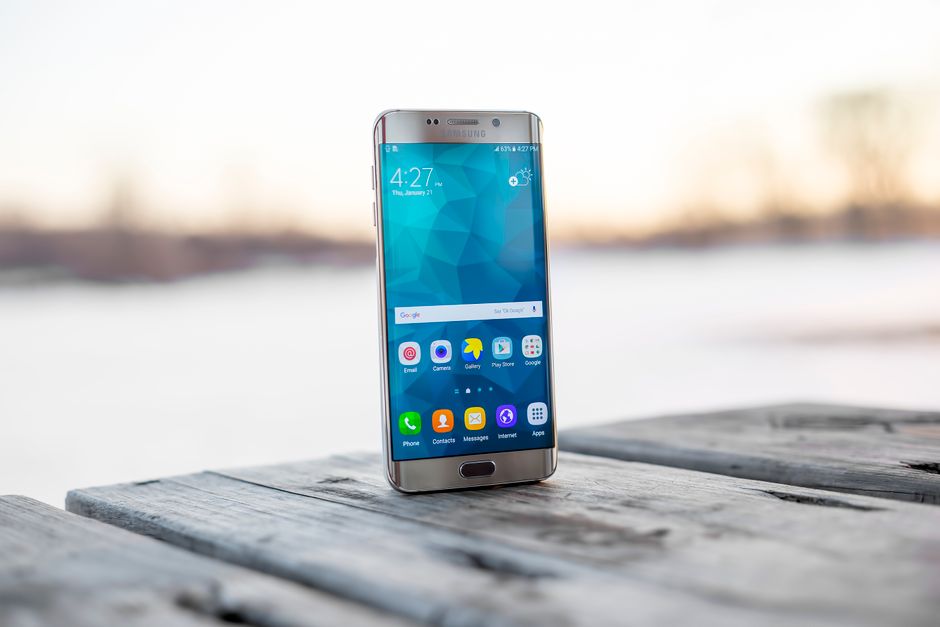
If your Galaxy S25 or S24 Ultra suddenly feels like a hand warmer and your battery percentage is dropping in front of your eyes, you’re not imagining it. A growing wave of owners are reporting Galaxy S25 S24 Ultra overheating battery drain problems right after installing Samsung’s latest software update, and the complaints are showing up faster than Samsung seems able to answer them.
The issue is affecting both flagship lines, spans multiple regions, and is happening even during light tasks like scrolling social media or texting. For a phone that costs well over a thousand dollars, that’s not what anyone wants to see. Here’s what’s actually going on, why it’s happening, and what you can do about it today.
What’s Happening: Reports of Overheating and Battery Drain in 2026
Samsung community forums, the Samsung Members app, and Reddit threads dedicated to the Galaxy S25 and S24 Ultra have filled up with nearly identical complaints over the past couple of weeks. Owners describe phones that heat up noticeably within minutes of normal use, sometimes even sitting idle on a table.
The pattern is consistent across both device generations. That’s notable because the S25 and S24 Ultra don’t share identical hardware, which points toward a software problem rather than a chip-specific flaw.
Common threads in the reports include:
- Phones feeling warm to the touch during basic tasks like browsing or messaging
- Battery percentage dropping by double digits within an hour of light use
- Devices staying warm even in standby mode overnight
- Charging taking longer or the phone warming up faster while plugged in
The volume of similar reports in such a short window suggests this isn’t a handful of isolated defective units. It looks like a software-triggered issue tied to a specific update.
Which Samsung Update Is Causing the Problem?
Most affected users point to a recent One UI update pushed to Galaxy S25 and S24 Ultra devices in the past few weeks. Samsung frequently bundles security patches with feature tweaks and background service changes, and one of those changes appears to be behind the overheating and drain complaints.
Reports of trouble started appearing within days of the update rolling out, first in smaller numbers, then snowballing as more devices received the same package. That timeline lines up closely enough across different countries to suggest a staged global rollout, rather than a regional fluke.
To check which software version you’re running:
If your update date matches when your problems started, that’s a strong sign the update is the culprit. Comparing notes with other users on your exact version can help confirm whether you’re dealing with the same known issue.
How Severe Is the Impact on Performance?
The severity varies from person to person, but the pattern is consistent enough to worry a lot of owners. Some users report their phones climbing to uncomfortably hot temperatures during tasks that never used to cause any warmth at all, like checking email or using a maps app for navigation.
Battery drain complaints are just as striking. Multiple users describe losing significant battery life over a few hours of normal use, well beyond what they experienced on previous software versions. For some, a full charge that used to last a full day is now barely lasting until early afternoon.
The impact shows up most clearly in:
- Gaming: Graphically demanding games trigger heat warnings faster than before
- Camera use: Extended video recording or multiple photo bursts cause rapid warming
- Everyday apps: Even browsing or social media apps are draining battery faster than expected
A smaller number of users report their phones triggering Samsung’s built-in overheating protection, which can dim the screen, slow performance, or in rare cases prompt a shutdown to protect internal components. That’s a sign the thermal management system is working as intended, but it also confirms the underlying heat generation is a real and measurable problem, not just user perception.
Why Is This Happening? Potential Causes Explained
Nobody outside Samsung’s engineering team can say for certain what’s causing this, but a few likely explanations have emerged from user investigation and past precedent with software updates.
A background process or new feature. Recent Samsung updates have introduced or expanded AI-powered features that run continuously in the background, including enhanced processing for photos, voice assistants, and predictive text. If one of these processes isn’t properly optimized, it can keep the processor working harder than necessary, generating extra heat and draining battery even when you’re not actively using the phone.
Battery optimization algorithm changes. Software updates sometimes adjust how a phone manages power across apps and system services. A miscalibrated algorithm could cause the battery to work less efficiently, leading to faster drain even without a change in usage habits.
Thermal management conflicts. Phones rely on software to regulate how components throttle under heat. If an update changes these thresholds or introduces a bug in how temperature data gets read, the phone might not throttle early enough, allowing heat to build before the system reacts.
Software, not hardware. The fact that both S25 and S24 Ultra models, which use different processors and battery configurations, are showing the same symptoms strongly suggests this is a software issue introduced by the update rather than a hardware defect. That’s good news in the long run, since software problems are generally fixable with another update rather than a repair.
Quick Fixes to Try Right Now
While you wait for an official fix, there are several steps that have helped some affected users reduce the severity of the problem.
None of these are guaranteed permanent fixes, but they’ve provided noticeable relief for many users while a proper patch is developed.
Has Samsung Acknowledged the Issue?
As of now, Samsung has not issued a detailed public statement specifically naming this overheating and battery drain problem as a confirmed bug. However, community moderators on Samsung’s own forums have acknowledged seeing an increase in related reports and are gathering diagnostic information from affected users.
This is a fairly standard early-stage pattern for Samsung. The company typically monitors community feedback and support tickets before confirming a fix is in progress, especially while engineers work to reproduce the issue across different device configurations. If history is any guide, an acknowledgment and eventual patch usually follows once enough reports are documented internally.
If you’re affected, submitting a diagnostic report through the Samsung Members app genuinely helps. It gives Samsung real device data instead of relying only on forum posts, and it speeds up the process of isolating the cause.
Should You Rollback the Update?
Downgrading Android software on Samsung devices isn’t officially supported the way it is on some other platforms. Samsung doesn’t provide a built-in rollback option for security and stability reasons, so reverting to a previous One UI version typically requires manual firmware flashing through third-party tools.
That approach carries real risks:
- It can trip Samsung’s Knox security warranty flag, potentially voiding warranty coverage
- It may cause data loss if not done correctly
- It can leave your device vulnerable if the previous version lacked important security patches
- Firmware availability for rollback varies by region and carrier
Given these risks, most users are better off sticking with the current update and using the mitigation steps above while waiting for an official patch, rather than attempting a manual downgrade.
What Galaxy S25 and S24 Ultra Owners Should Do
If your device is running hot or draining fast after the update, a few practical steps will help both your phone and Samsung’s investigation.
- Report the issue through the Samsung Members app under the feedback or diagnostics section. This feeds directly into Samsung’s bug-tracking process.
- Monitor your temperature using a reliable third-party monitoring app to track patterns and identify which specific apps or activities trigger the worst heat spikes.
- Audit background permissions for apps that don’t need constant location or background data access, since this can compound the problem.
- Contact Samsung Support directly if the issue is severe, especially if you experience repeated automatic shutdowns or visible battery swelling, which needs immediate attention.
- Understand your warranty coverage. Software-caused issues are generally covered as long as you haven’t rooted your device or voided Knox security through unofficial firmware changes.
Is This a Widespread Problem or Isolated?
Based on the volume and geographic spread of reports across forums and social media, this appears to be a broader software rollout issue rather than an isolated hardware defect affecting a small batch of devices. Reports are coming from users across North America, Europe, and Asia, which points to a global software push rather than a regional network or carrier problem.
There’s no strong evidence so far that specific colors or storage variants are more affected than others, which further supports the software theory over a manufacturing defect. It’s also worth noting that Samsung has dealt with update-related battery and performance complaints before, and in most past cases a follow-up patch resolved the majority of reports within a few weeks.
That history offers a reasonable, though not guaranteed, expectation that this current issue will follow a similar path toward resolution.
Frequently Asked Questions
Can overheating permanently damage my Galaxy S25 or S24 Ultra battery?
Repeated or prolonged overheating can accelerate long-term battery degradation, reducing overall capacity over time. Occasional warmth from a software bug is unlikely to cause immediate permanent damage, but you should address the issue quickly if your device is consistently running hot.
How do I check if my device is running the problematic Samsung update?
Go to Settings, tap About phone, then Software information to see your current One UI version and security patch date. Compare this to when your overheating or battery issues started to see if they line up.
Will turning off 5G or AI features fix the overheating issue?
Disabling newly activated AI features or switching off 5G in areas with weak signal has helped some users reduce heat and battery drain. It’s not a guaranteed permanent fix, but it’s a low-risk troubleshooting step worth trying.
Is it safe to use my phone while it’s overheating after the update?
Light overheating during normal use is generally not dangerous, since Samsung’s thermal protections will throttle performance or shut down the device if temperatures get too high. However, if your phone becomes too hot to comfortably hold or shows signs of battery swelling, stop using it and contact Samsung Support.
How long does Samsung usually take to release a fix for update issues?
Samsung typically takes anywhere from a few days to a few weeks to release a patch after confirming a widespread software bug, depending on complexity. Past update-related issues have often been resolved within a few weeks once Samsung acknowledges the problem publicly.