
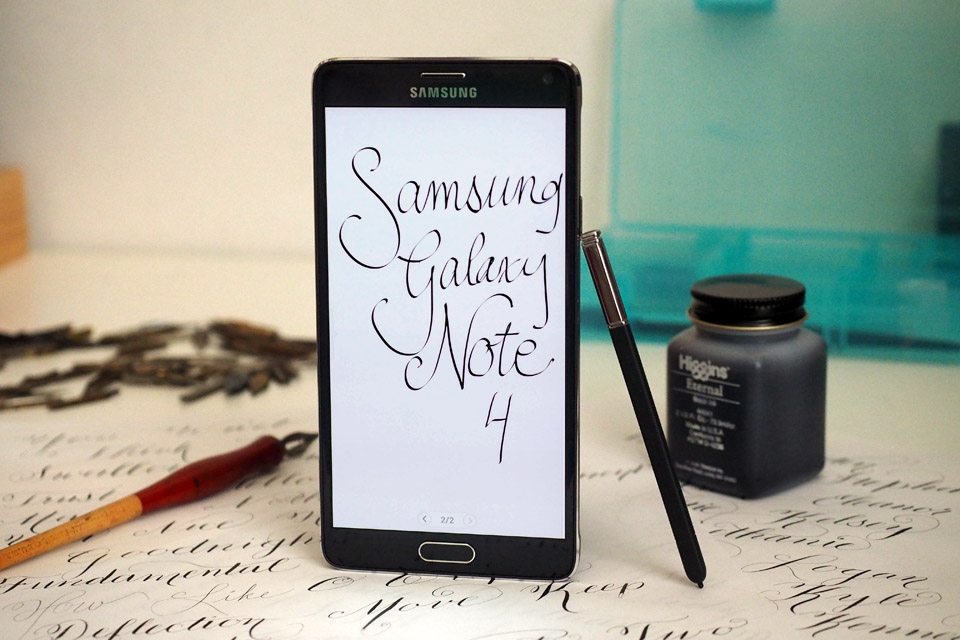
The Galaxy Note 4 is one of the most loved phablets of the Samsung Galaxy Note series. Note series is known for its stylus, excellent battery life, and enormous display screen. Note 4 is also known as one of the most successful phones of the Notes series. Galaxy Note 4 was adored by many. The reason behind this is the Galaxy S5, which the general users and Samsung customers did not love. Meanwhile, Galaxy S6 and S7 are exquisite phones, and people love them. Let’s move on to the guide on how to fix note 4 stuck Samsung logo at startup.
Note 4 has a 5.7-inch screen, the first phone introduced with an edge version. Its curved screen version is why it was so popular and is still loved by many. Samsung stood above its competitors by introducing a curved-screen phone with Note 4.
Note 4 has 3 GB RAM and Snapdragon n 805, giving it excellent processing power. And its battery is 3220 mAh. It has an external storage port and internal storage memory of 32 GB.
Note 4 stuck Samsung Logo at Startup:
While rooting or performing different tweaks on your phone, you might encounter a problem when your phone is in bootloop, or you may call it note 4 stuck Samsung logo at startup. The following guide will deal with its solution:
Although the solution is quite simple, the only problem is that it will delete all the data in your phone. I hope you backed up your phone somewhere on your PC or cloud. Suppose you don’t know how to make a backup. Use this guide to make a backup of your Note 4. So, in the future, you will never lose your data or get locked out of your data. If you install the same ROM you are running on your phone, data won’t be deleted.
Well, the solution for Note 4 stuck Samsung logo at startup is flashing stock firmware on your phone. It will reinstall the operating system, and your phone will be as good as new. Flashing stock ROM means reinstalling the Android operating system.
Now let us move on to the guide:
First, the following are some prerequisites you will need to perform or download before proceeding.
- Download ODIN v3.10.7 from here.
- Download Stock Firmware for your Note 4 from SamMobile. (Enter the model number of your phone. It will display all the stock ROM present for your phone)
- Download Samsung Drivers for Windows. (The link to download the file is under the main heading). These drivers are to be installed on your PC; they are essential for your PC to recognise your device correctly.
- Make sure your phone is charged up to 50%.
Before moving forward, ensure KIES is not running on your computer, even in the background.
Make sure you have the correct ROM for your phone. If your phone is carrier-unlocked and not branded, you can use any carrier-free (unbranded) ROM from the link above. How do you check if your phone is engraved or not? If the logo or any carrier appears when you start your phone then its branded, if only Samsung logo appears when you reboot your phone then it’s clean. Ensure you don’t flash unbranded ROM on a branded phone and vice versa.
- Download ODIN on your PC
- Install Samsung USB drivers for Windows on your PC.
- Now turn off your Note 4 and Get it into Download mode. Press the Volume Down, Power button and Home Buttons simultaneously. Keep on holding till you see a warning.
- Press the Volume Up button to continue.
- Now open ODIN on your Windows PC.
- Connect your Note 4 to your PC using an original Data cable.
- The ID: COM section will turn blue. Once your computer detects your phone.
- Click on AP or, in some ODIN versions, PDA.
- Select the stock ROM you downloaded.
- Ensure Only Auto Reboot and F. Reset Time are checked in the options, like in the screenshot below.
- Click on Start.

- Wait for a few minutes. Don’t disconnect your phone from your PC while ROM is flashing.
- Note: If the firmware you downloaded extracts multiple files, select the corresponding section according to file type. BL belongs to the Bootloader, AP to the PDA, and CP to the Phone(Modem). Select the CSC file in the CSC tab.
If flashing the firmware fails, you get the error “All threads completed. (succeed 0 / failed 1)”. Then, use some other version of ODIN. Or use this guide to fix the problem.
That’s all from my side. In conclusion, if you have any issues or queries regarding how to fix note 4 stuck Samsung logo at startup, let me know in the comments. Do give us feedback when you successfully flash stock ROM on your Note 4 and manage to fix it. Feel free to ask if you have any problems with the guide above. If you are still using Note 4 and are happy with it, let us know what keeps you from upgrading.













my note 4 sm-n910t is stuck on random boot loops i think is has something to do with the system or rom. it happened when i tried to root, then i tried to reinstall the official but its not working. please help!
Make sure you properly follow the instructions above.
If you are still having problems then, Make sure;
You have enabled USB debugging and OEM from settings of your Note 4.
Try with some other version of Odin if the flashing fails.
Best of luck.
Hie am innocent Milazi from malawi and I have a Samsung note4 stuck on the logo please is there a way to open it?
thank you soo much it workss
It Works.. I was so afraid that I lost my note 4.. huft.. luckily.. Thanks to Abdullah Akbar Shafi.. I was actually on a try to get the Super User (root my note 4) but it stuck on samsung logo.. but then I come to this site and find the solution.. thanks a lot man..
firmware cannot download on sammobile help me please to get file of NOTE EDGE (N915F)
I’ve only had my note 4 for 1 yr and 7 months. It just restarted and got stuck on that loop 2 days ago. I took it to my wireless carrier and the samsung customer centre and $35 later, i was told i need a new motherboard that would cost me $400 to replace. I barely used the phone since I’ve been home 97% of the time in the last 11 months and mainly had it for surfing the web and taking pics/videos. Anyone else in the same boat? Samsung reps keep telling me its a high end phone. I’m frankly annoyed as this is the 1st time ever in the last 19 years that a phone died on me. I’ve used other smartphones in the past that lasted at least 3 years (and when they stopped working, it was due to battery problems).
@maricel
i too have the same problem 🙁 the story is completely same as yours. :'(